
Wallet
Here you’ll learn about points and withdrawal.
Points and Transactions
Section titled “Points and Transactions”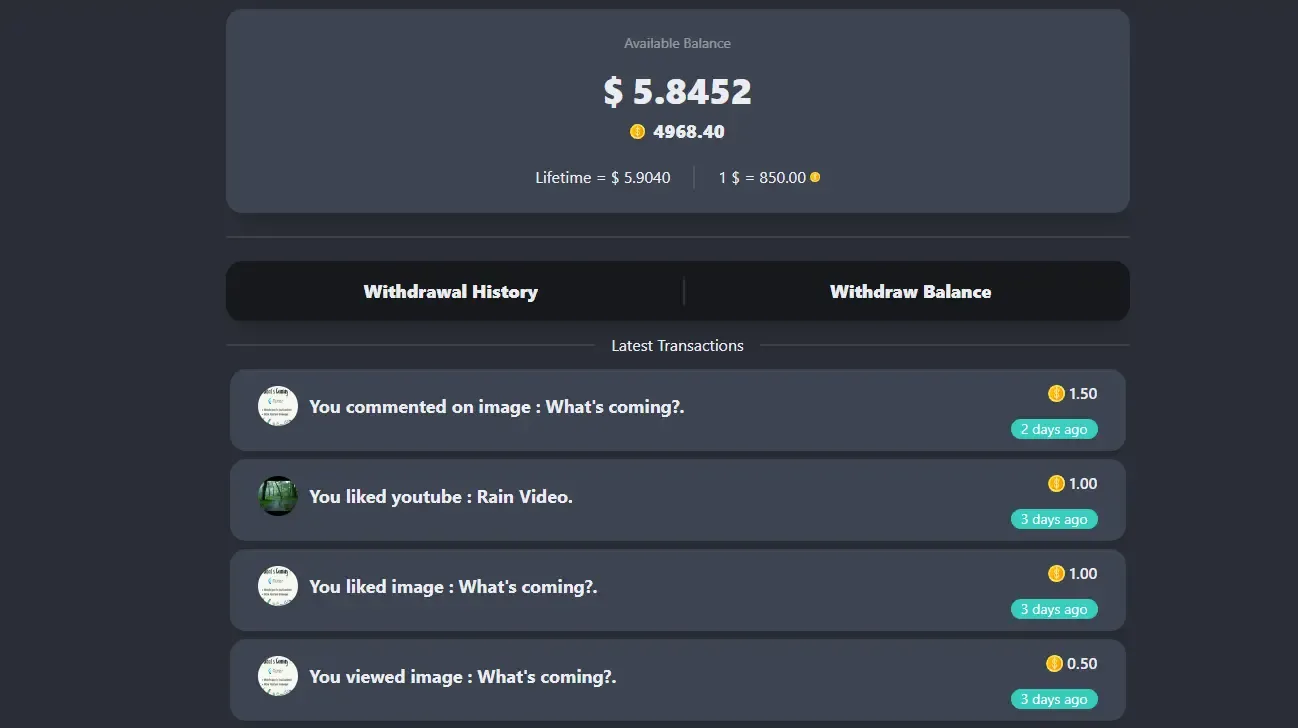
- Withdrawal History : User can view all their previous withdrawal and their status.
- Withdraw Balance : User can create a new withdrawal request.
- Available Balance : It’ll show their earned points and amount in their currency.
- Lifetime : It’ll show their lifetime earning amount in their currency.
- 1 $ : It’ll show their currency value in points [currency rate].
- Latest Transactions : It’ll show their last 20 transactions from where and when they earned points. If they click on the transaction, they will be navigated to the status details page.
Withdrawal History
Section titled “Withdrawal History”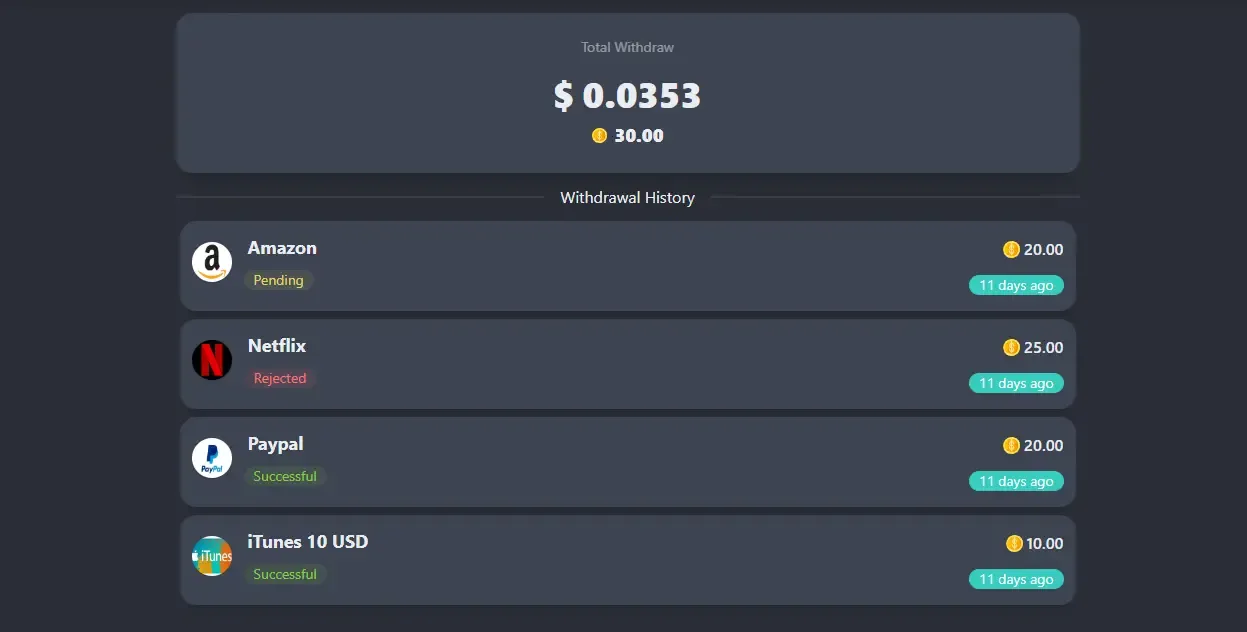
- Total Withdraw : It’ll show their lifetime withdrawal amount in their currency.
- Click on any transaction to see more details.
Withdrawal Method
Section titled “Withdrawal Method”All the active withdrawal methods will be listed here.

Withdraw Amount
Section titled “Withdraw Amount”Non gift card method will be shown like this.
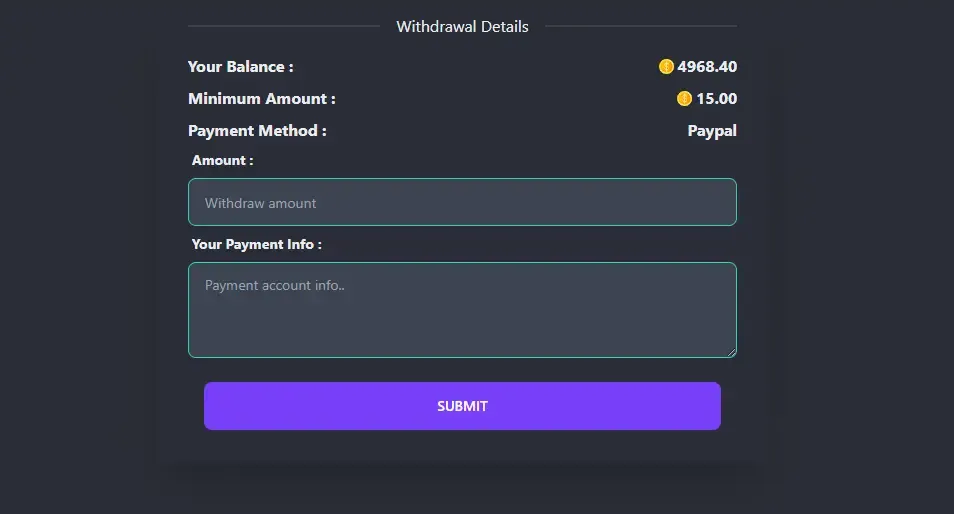
- Amount : User can enter the amount they want to withdraw. Amount must be greater or equal to minimum amount.
- Payment Info : User will provide information to send the amount to them (ex: email/id).
Withdraw Gift Card
Section titled “Withdraw Gift Card”Gift Card will be shown like this.
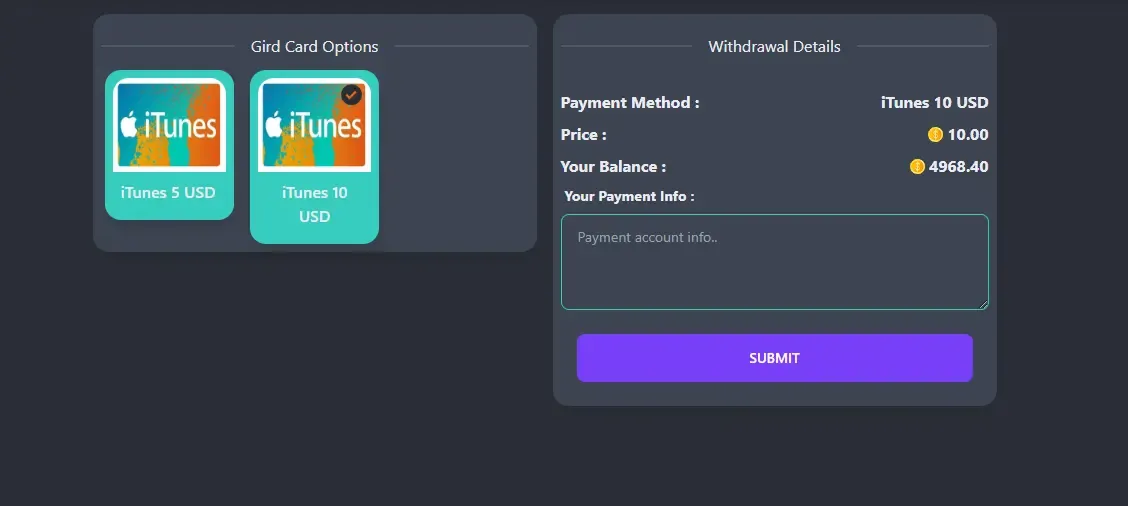
- Gift Card Options : All the child of the parent gift card will be listed here. They will get details after selecting one.
- Price : Fixed price for this method.
- Payment Info : User will provide information to send the gift card to them (ex: email/id).