
Upload Status
You can turn off any of this these upload system.
Upload Image
Section titled “Upload Image”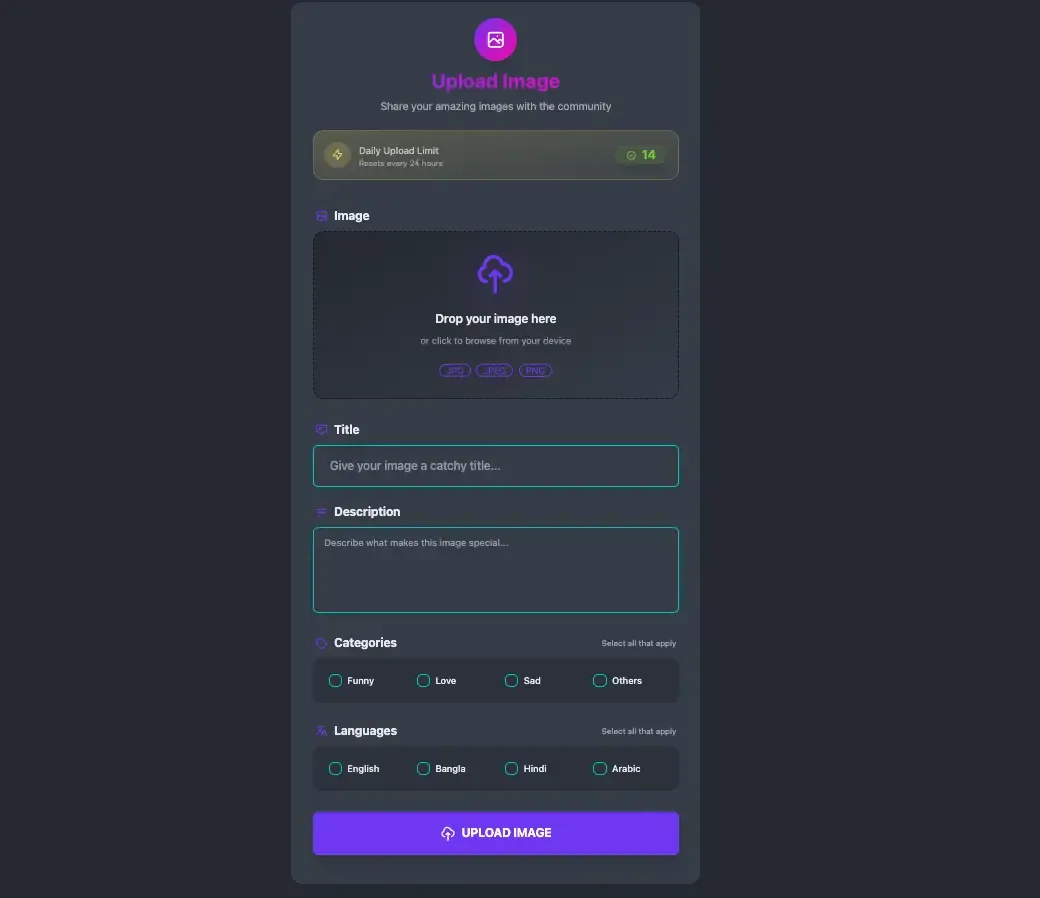
- Daily Limit : For every status you post your limit will get decreased by 1. If it’s 0 you won’t be able to post until tomorrow.
- Image : Choose an image file for your image status.
- Title : Write a suitable title for your image status. Minimum 6 characters required.
- Description : Write a suitable description for your image status. Minimum 10 characters required.
- Categories : Choose at least one or multiple categories related to your status.
- Languages : Choose at least one or multiple languages related to your status.
Upload AI Image
Section titled “Upload AI Image”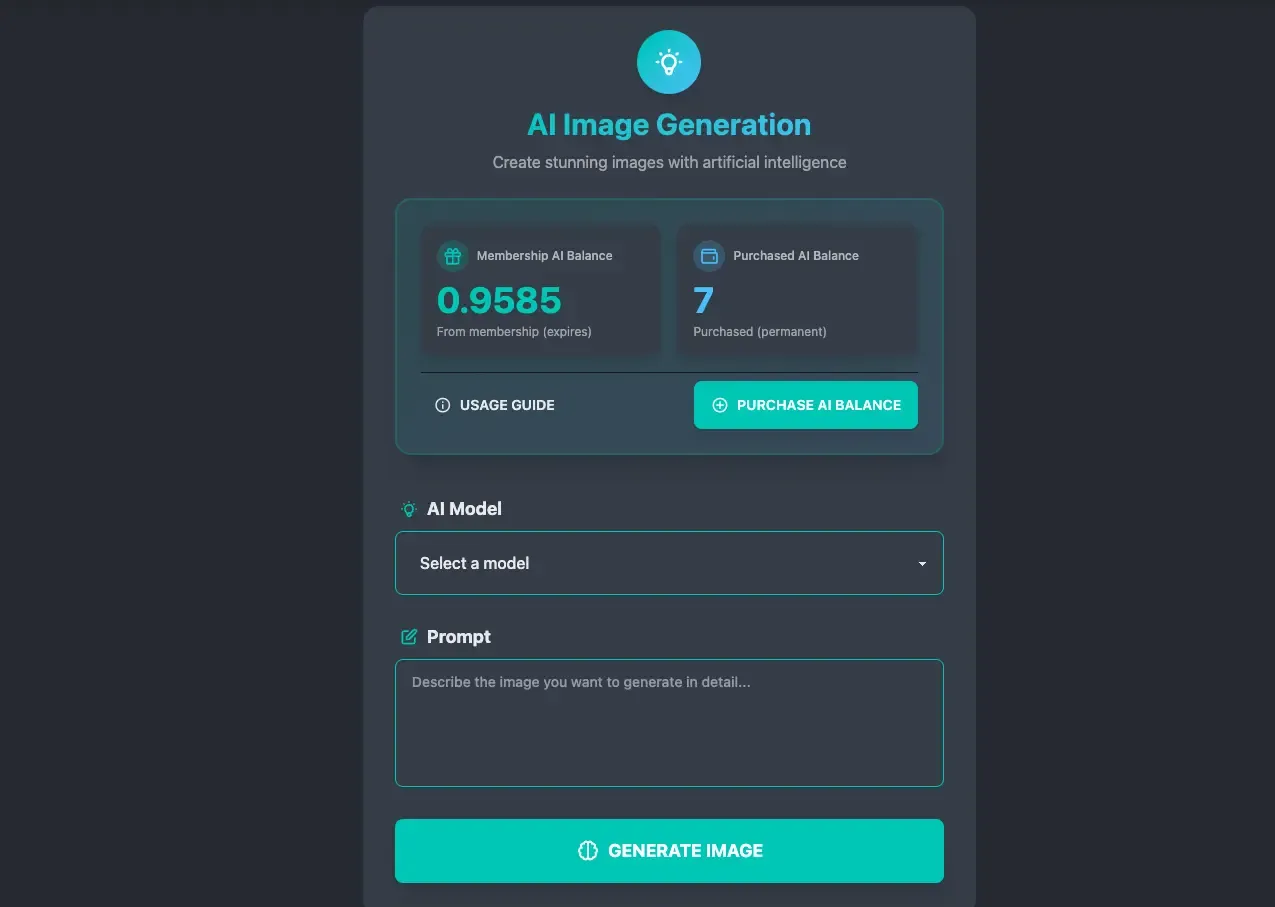
- AI Model : Select the AI model you want to use.
- Prompt : Describe the image you want to generate.
- Generate : Click to generate the image. It will deduct credits from your balance.
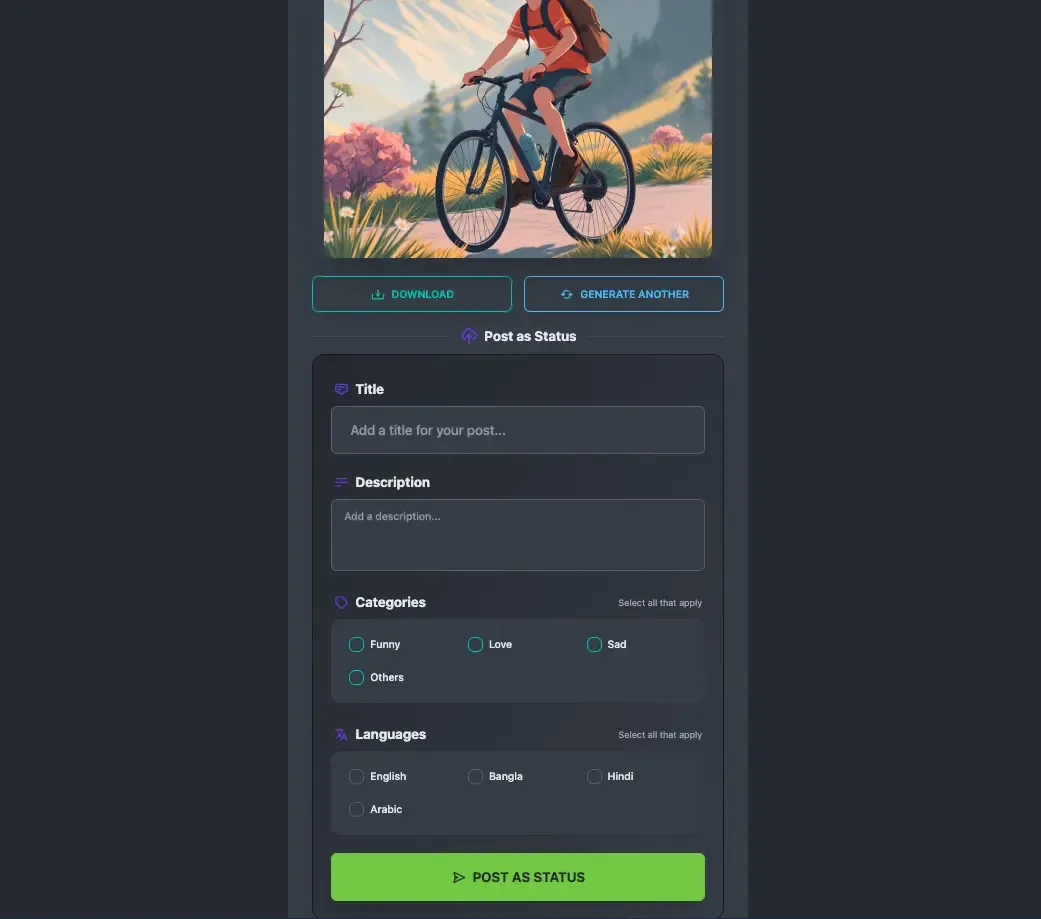
- Download/Generate Another : After generation, you can download it or generate another image.
- Post As Status : You can post generated image as a status.
Upload Video
Section titled “Upload Video”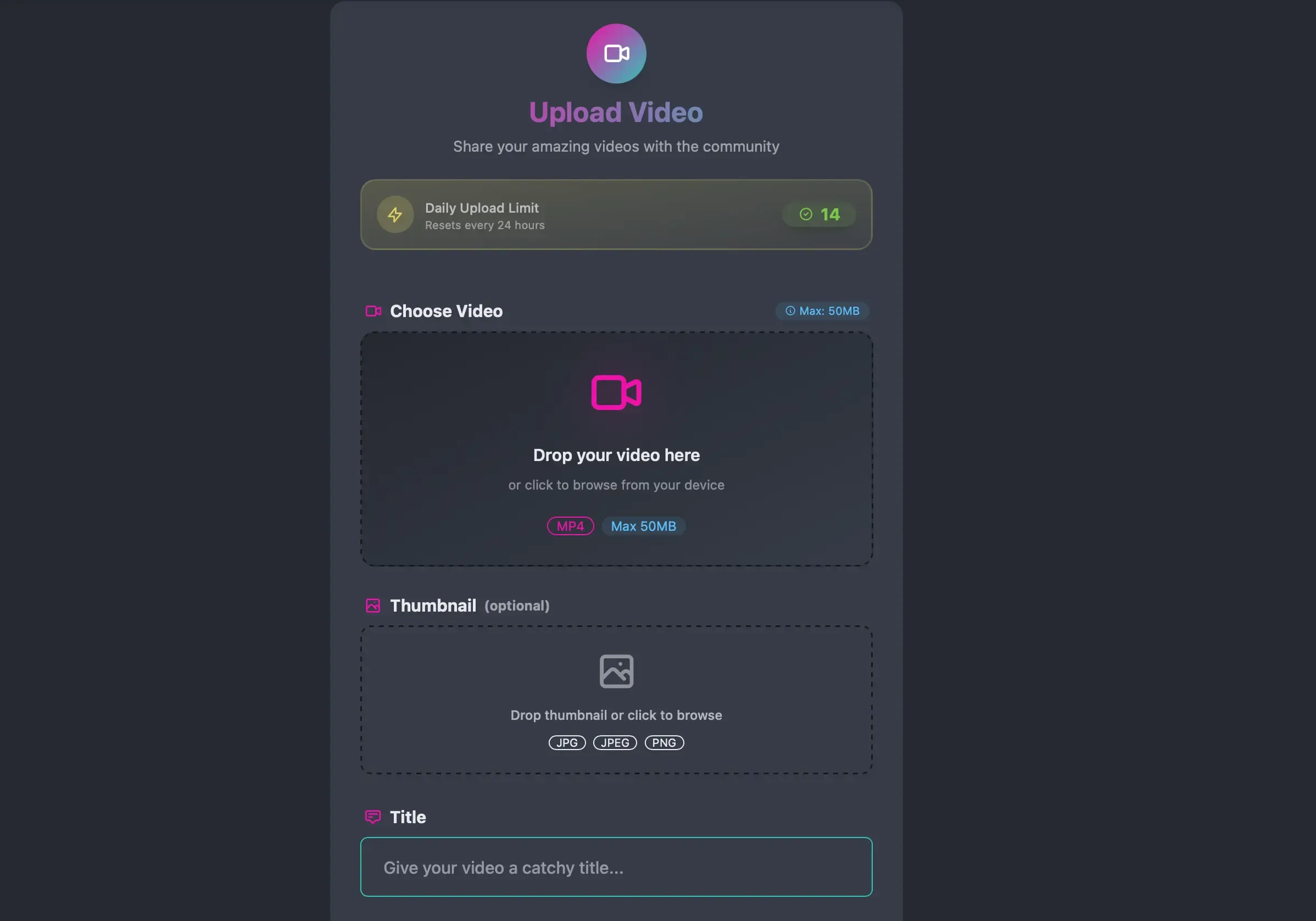
- Choose Video : Choose a video file for your video status.
- Thumbnail : If you choose “Screenshot Only” or “Screenshot + Covert” in the settings then it will be optional. If they provide an image thumbnail will be generated from this image, otherwise server will take a screenshot using FFMPeg and set it as thumbnail. If FFMpeg is disabled then it will be required to provide an image.
Upload Youtube
Section titled “Upload Youtube”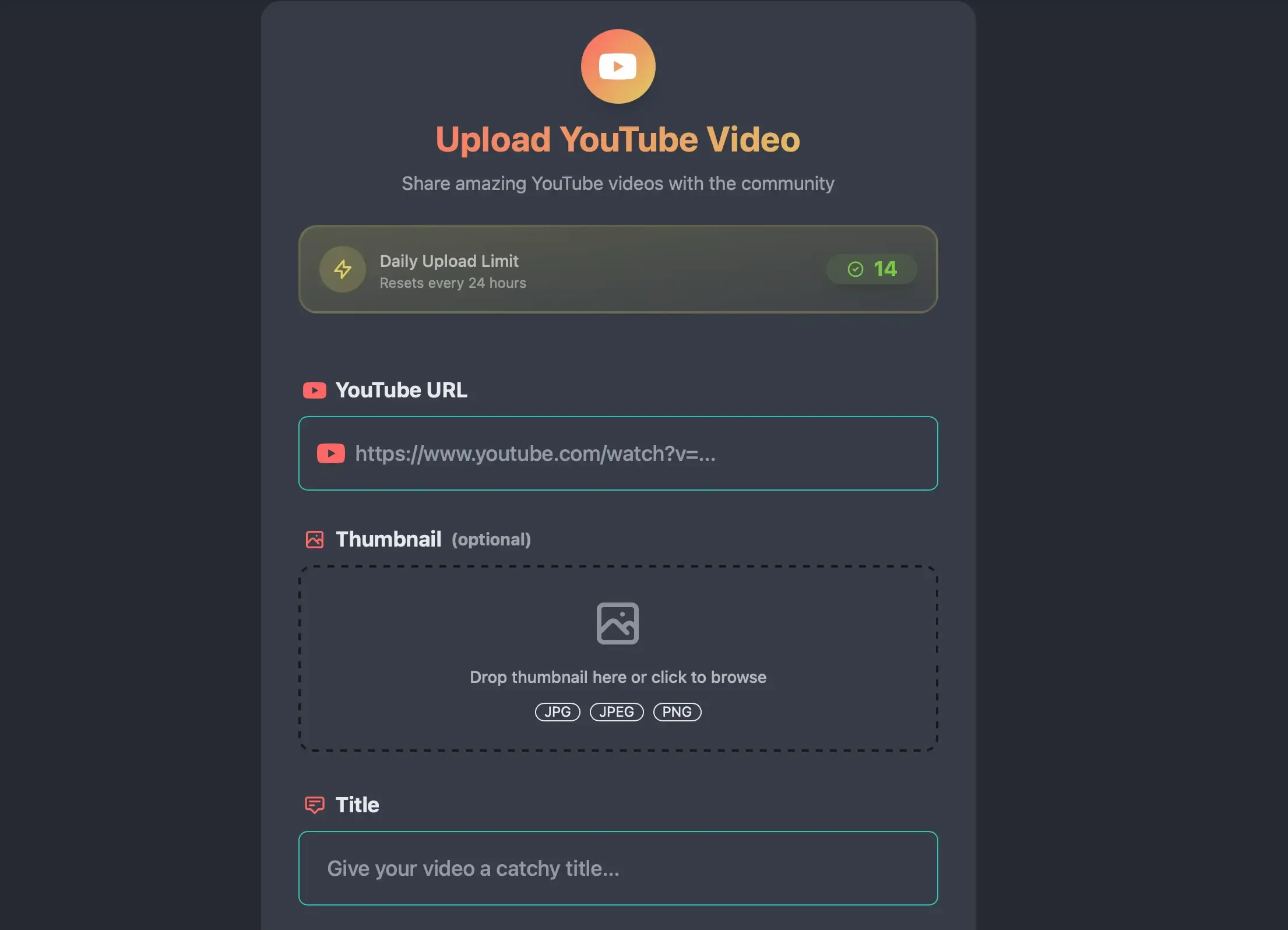
- Youtube URL : Provide a valid youtube video URL.
- Thumbnail : . If they provide an image thumbnail will be generated from this image, otherwise server will use original YouTube thumbnail.