
AI Features
Create stunning images using Artificial Intelligence directly within the app.
AI Image Generation
Section titled “AI Image Generation”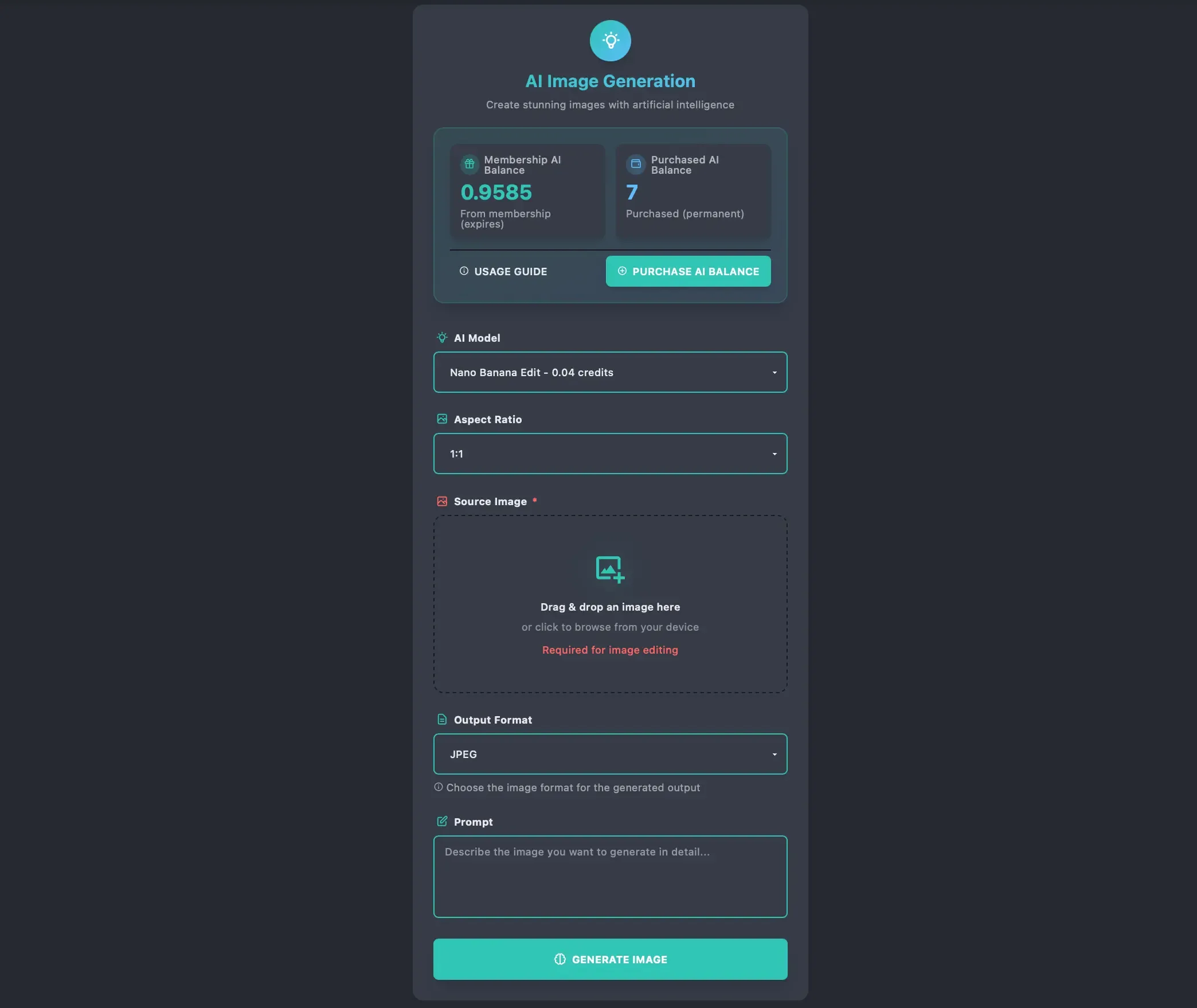
- AI Model: Choose from a variety of AI models. Each model has a different cost (in credits) and capabilities.
- Aspect Ratio: Select the shape of your image (Square, Portrait, Landscape).
- Source Image: (For supported models) Upload an image to edit that.
- Output Format: Choose your preferred file format (JPEG, PNG, WebP).
- Prompt: Describe what you want to see in detail. The better the description, the better the result.
- NSFW: (If enabled) Toggle this if you are generating mature content.
Note: AI-generated images are not stored anywhere unless you choose to post them as a status. Download them immediately after generation or they will be lost.
AI Balance System
Section titled “AI Balance System”We use a dual-balance system to manage your AI usage:
- Membership Credits:
- Included in your subscription package.
- These expire or reset based on your plan.
- Used first for generations.
- Purchased Balance:
- Permanent credits you buy separately.
- Never expire.
- Used when membership credits run out.
Purchasing AI Balance
Section titled “Purchasing AI Balance”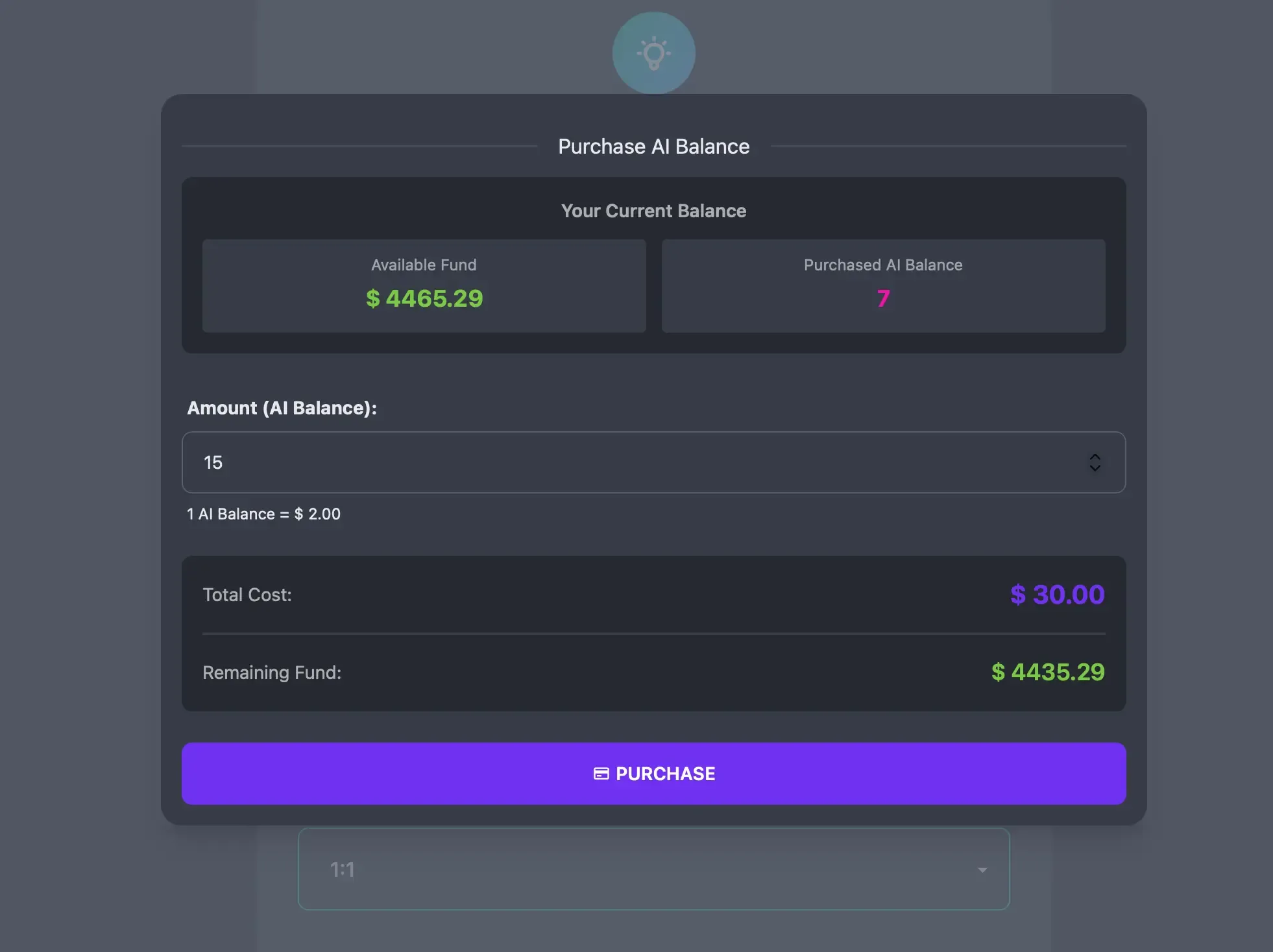
If you run out of credits, you can purchase more using your Deposit Balance.
- Go to the Upload AI page or Packages page.
- Click Purchase AI Balance.
- Enter the amount of credits you want.
- Confirm the purchase. The cost will be deducted from your main account balance.
AI History
Section titled “AI History”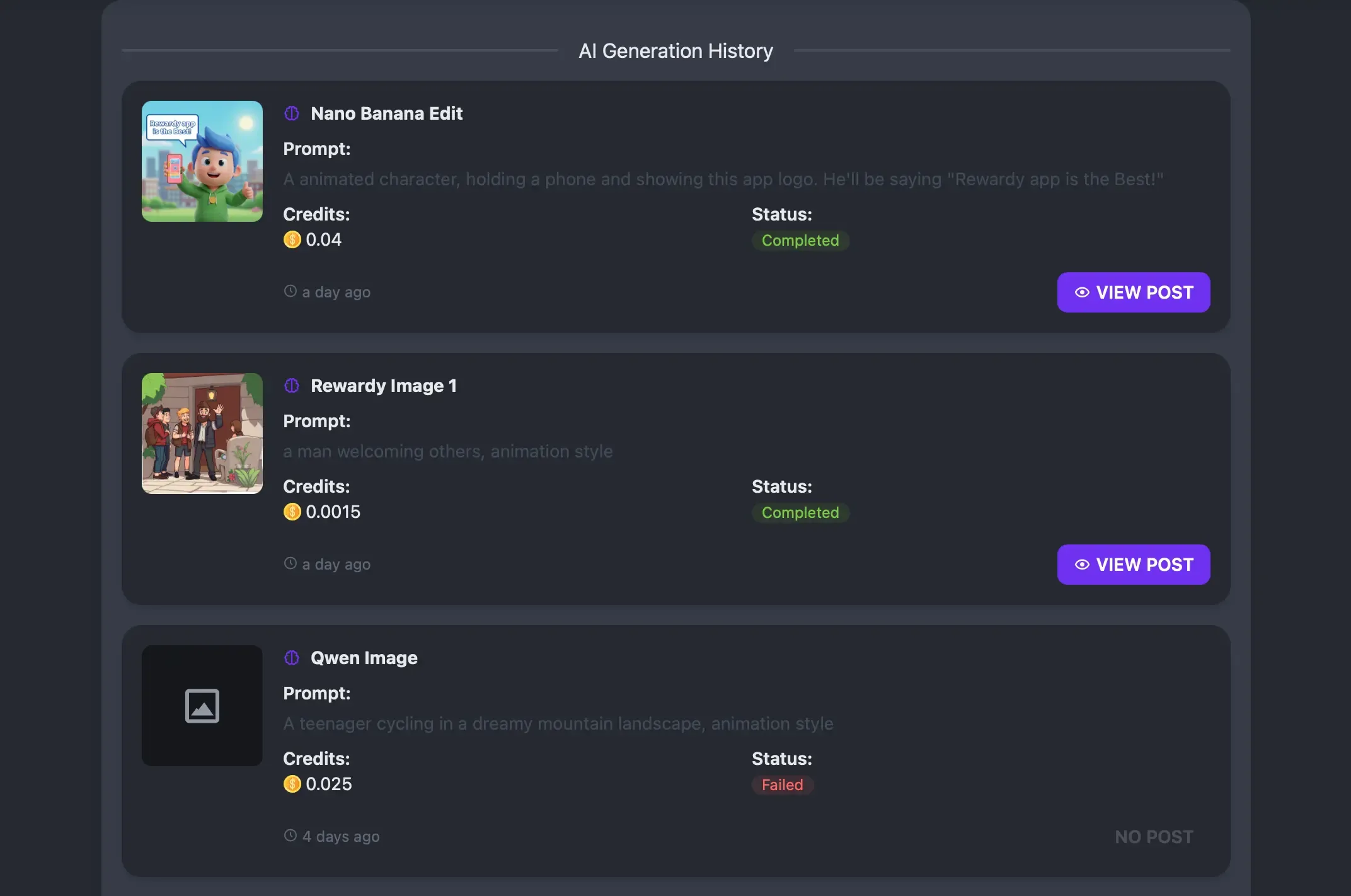
Keep track of all your creations.
- Log: View a list of all past generations.
- Details: See the prompt, model used, and cost for each image.
- Status: Check if a generation was successful or failed.
- View Post: If posted as a status, view status details.