
Users
You’ll get all information about the user from the user details page.
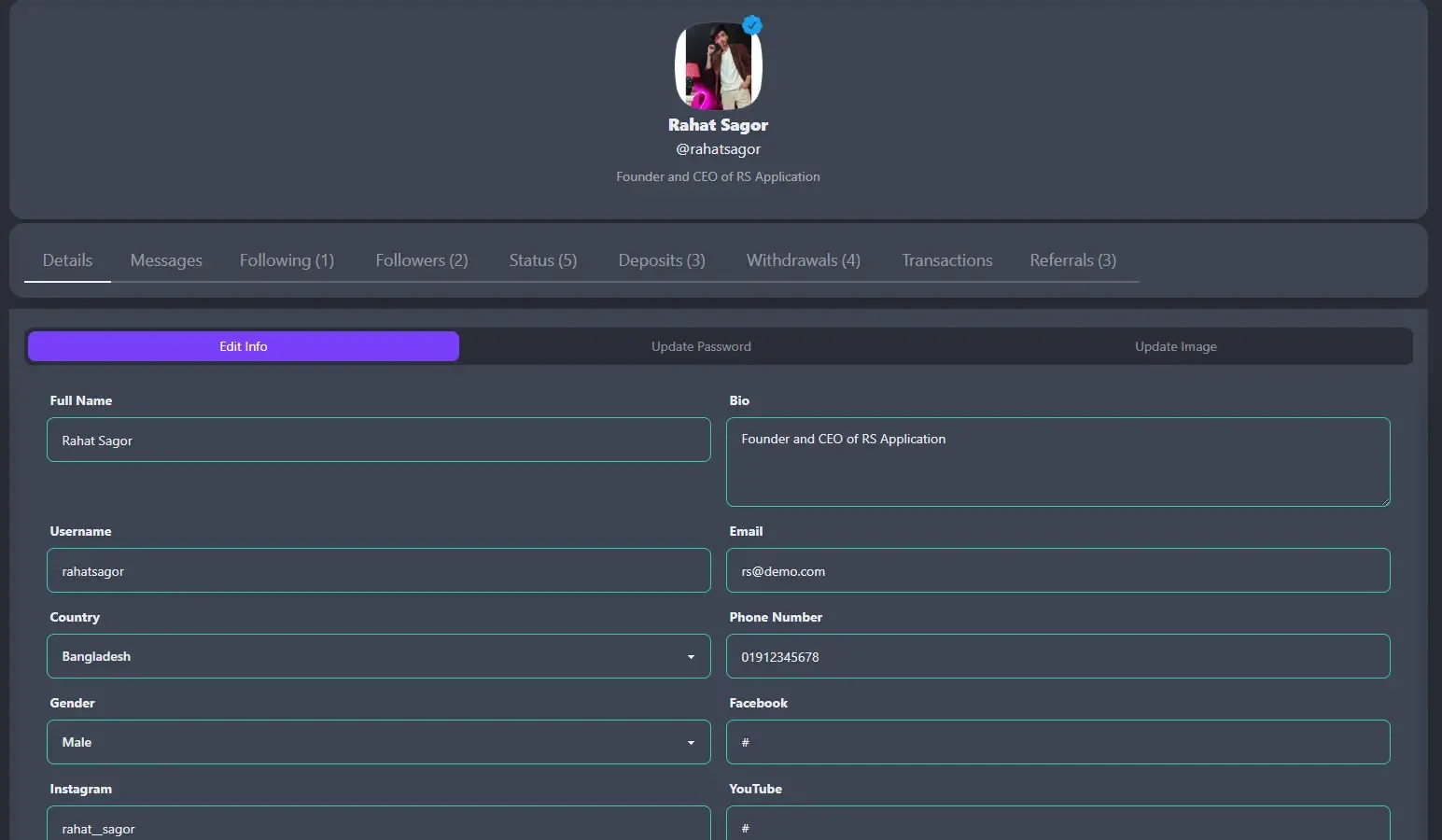
- Details : View or Edit user personal information.
- Messages : View or Send user inbox message.
- Following : List of users who’s followed by this user.
- Followers : List of users whose follow this user.
- Status : List of approved status from this user.
- Deposits : List of deposits from this user.
- Withdrawal : List of withdrawal from this user.
- Transactions : User all transactions history.
- Transactions : List of users who was referred by this user.
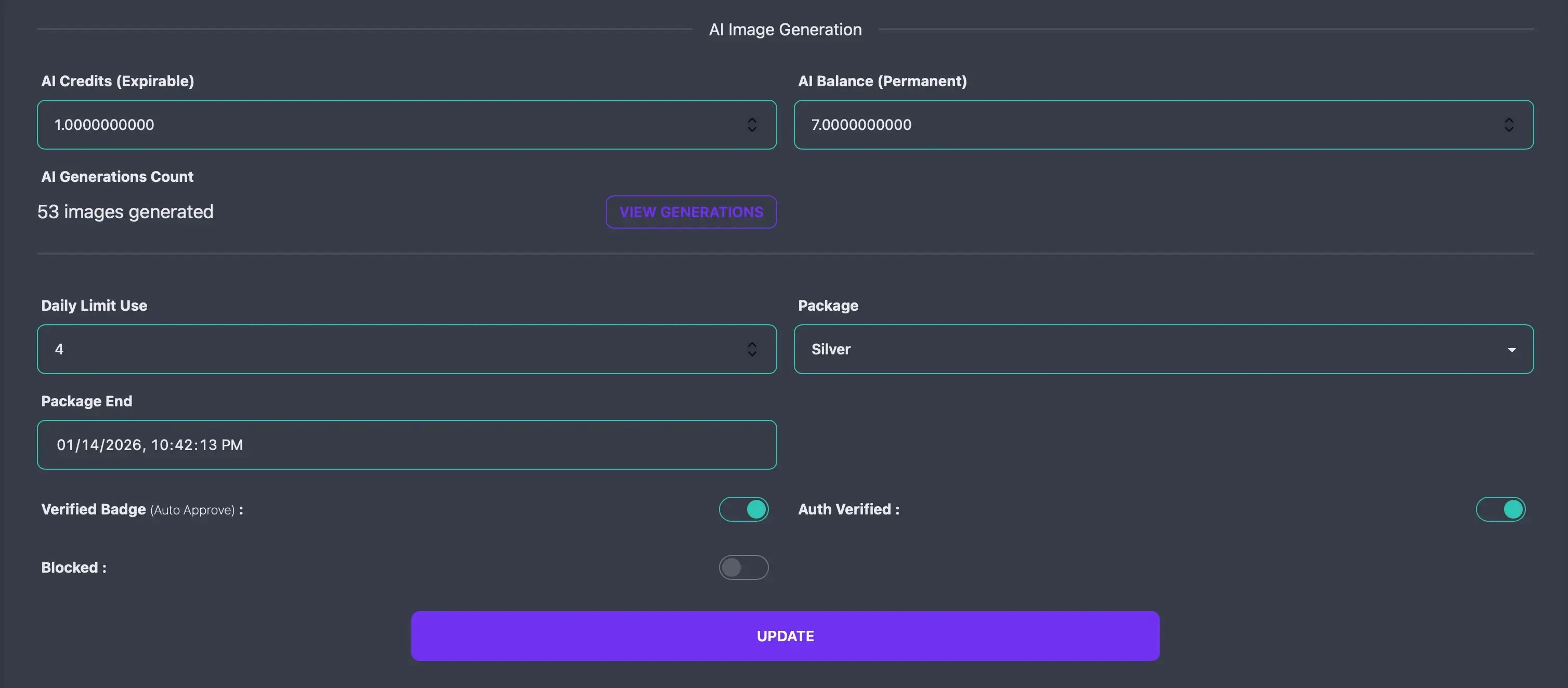
- AI Credits : Manually adjust the user’s membership-based AI credits.
- AI Balance : Manually adjust the user’s purchased permanent AI balance.
- AI Generations : View the user’s AI generations count and history.
- Daily Limit Use : User today post count. Maximum - X = limit left. If any user reach the maximum daily limit number, he won’t be able to post anymore on that day.
- Package : You can manually change user package.
- Package End : You can manually change user package expiry/renew date.
- Verification Badge : User will be verified and show a blue tick beside their name. Posts from verified users will automatically get approved.
- Auth Verified : You can mark user as email verified or not. If not and Need verification option is on, then user need to verify their account before login the app.
- Blocked : You can block any user. If you block any user then that user will instantly get logged out from app and won’t be login or use the app again until you unblock them.