
Status
Manage status posts submitted by users in your application. You can view, edit, approve, or delete status posts as needed.
All Status
Section titled “All Status”List of all approved status. You can sort them by type/date. You can search by title or user.
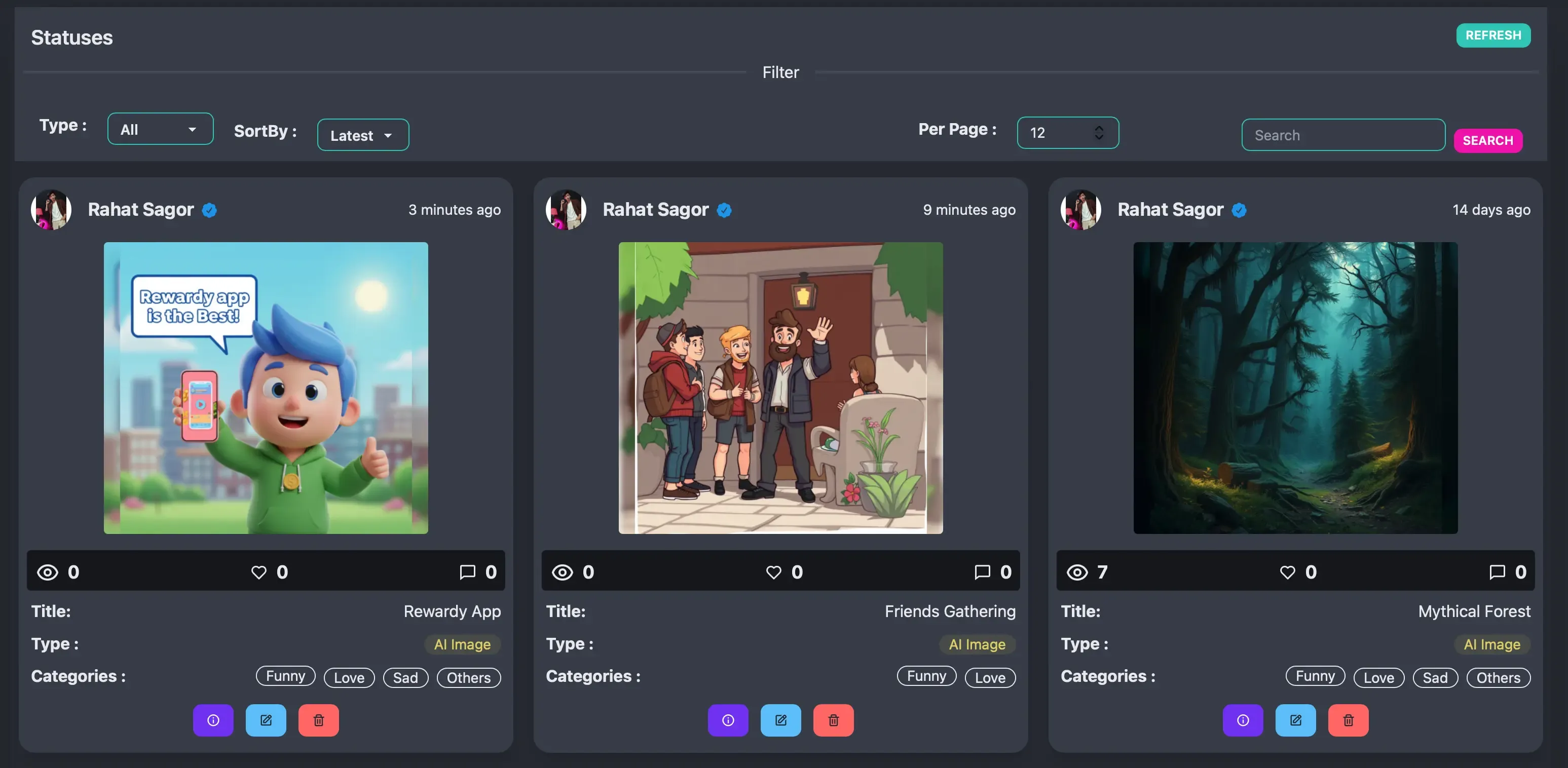
- Button 1 : View Status Details.
- Button 2 : Edit Status.
- Button 3 : Delete Status. This will permanently remove the status, its files, and all associated data (likes, comments, views). This action cannot be undone.
Status Details
Section titled “Status Details”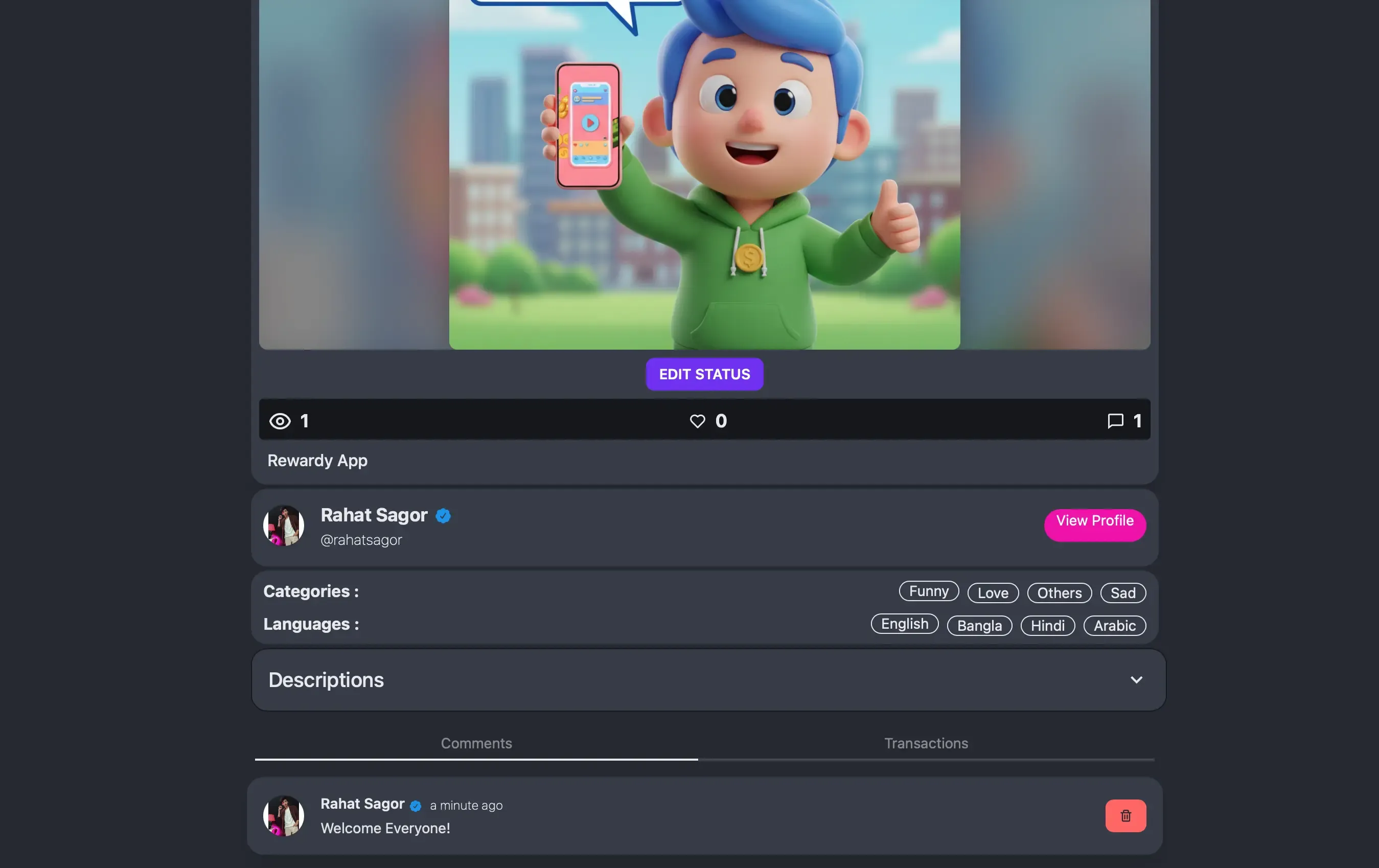
- Edit Status : Go to Status Edit Page.
- Comments : List of all comments on this status. You can delete any comment.
- Transactions : List of all transactions of this status.
Edit Status
Section titled “Edit Status”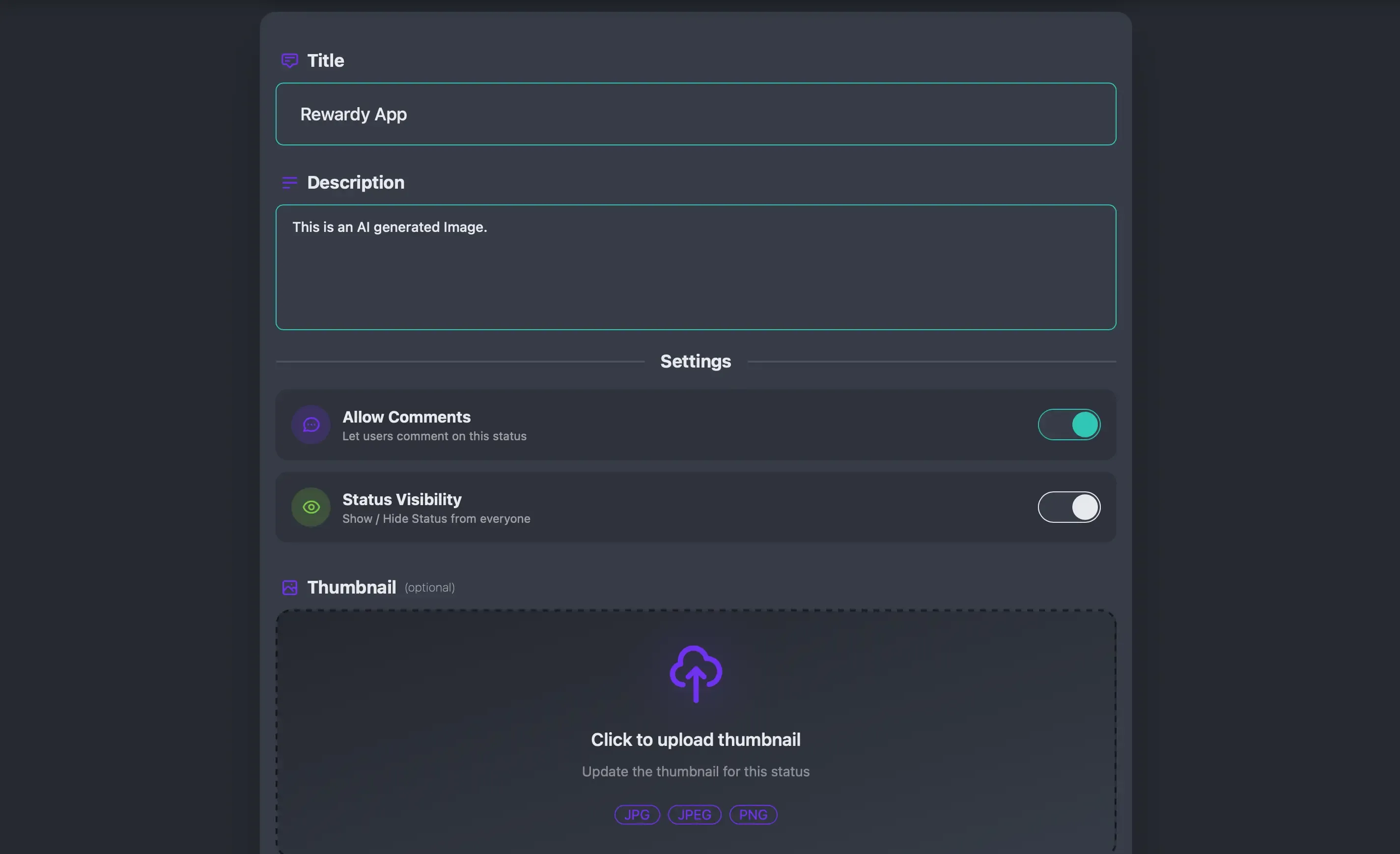
- Allow Comments : You can turn On or Off status comments.
- Status Visibility : You can turn On or Off status comments visibility to everyone.
- Thumbnail : You can change thumbnails of the status.
Status Review
Section titled “Status Review”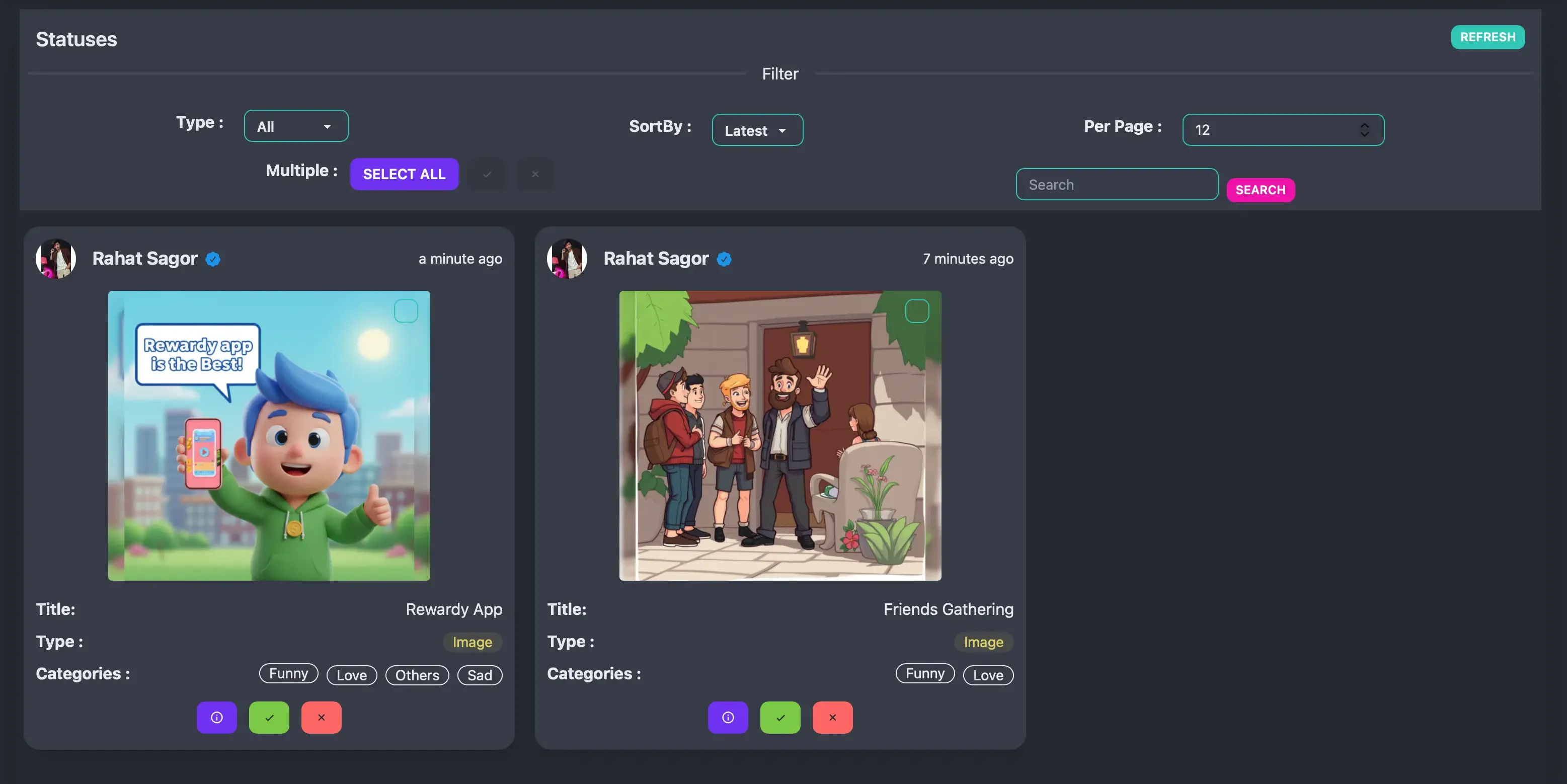
- Multiple : You can select all items on the page and approve or delete them at once.
- Button 1 : View or update details of the status.
- Button 2 : Approve the status.
- Button 3 : Delete the status. If you delete any status then the uploaded files will also get deleted.