
AI Management
Manage the AI ecosystem of your application, including models, pricing, and usage statistics.
AI Stats & Dashboard
Section titled “AI Stats & Dashboard”This is your command center for AI operations.
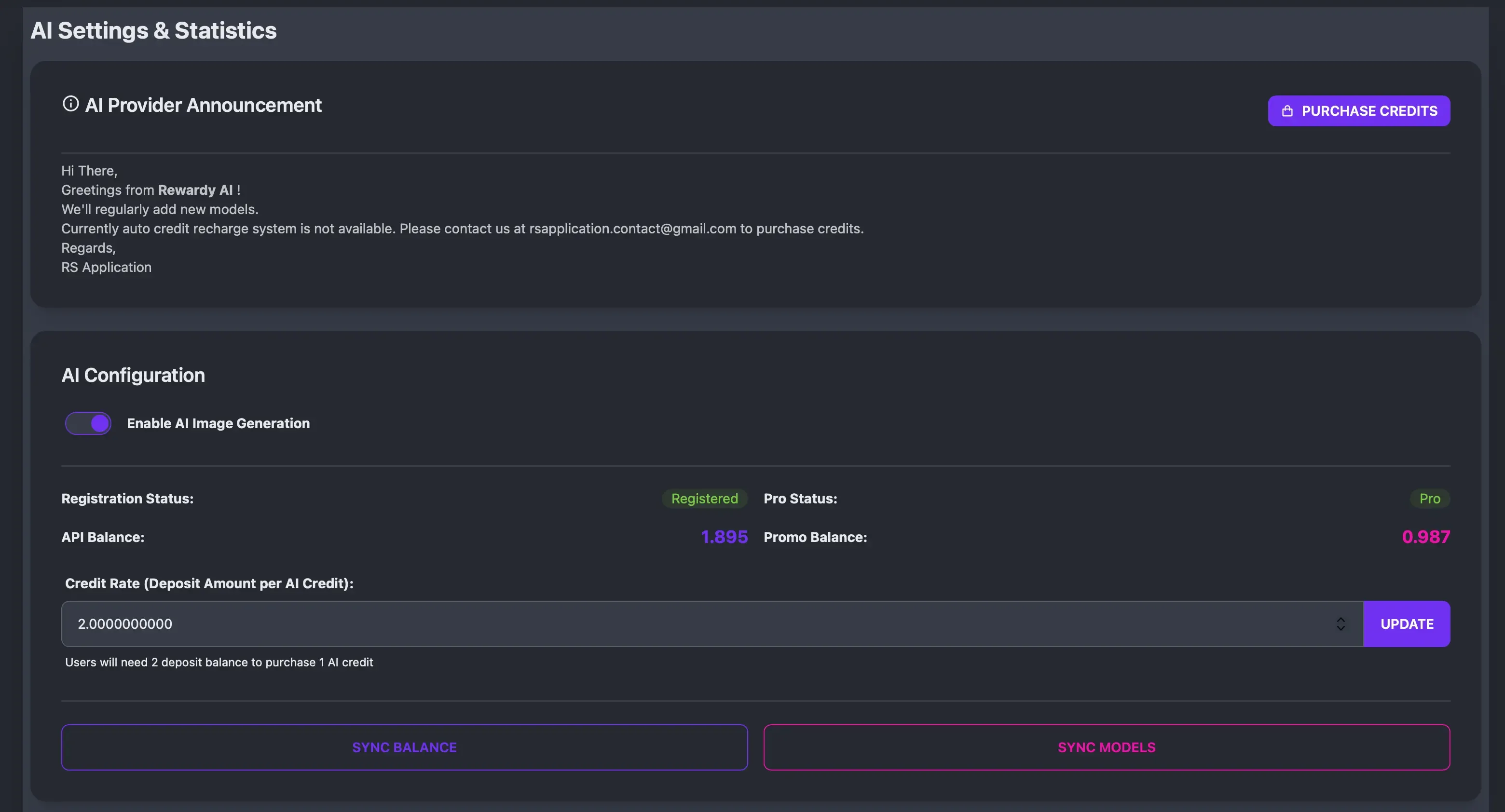
- Enable/Disable AI: Globally toggle AI features on or off for the entire app.
- Registration Status: Shows your connection status with the AI Provider.
- Balance Monitoring:
- API Balance: Your real-money balance with the AI provider.
- Promo Balance: Free promotional credits provided by the system.
- Pro Status: Indicates if your admin license has “Pro” privileges.
- How to get Pro: Pro status is granted when you purchase any AI credits from the provider.
- Benefit: Access to premium models that are not available to free accounts.
- Credit Rate Setting:
- Field:
Credit Rate (Deposit Amount per AI Credit) - Function: Sets the exchange rate for users purchasing AI credits.
- Example: If set to
2.0, users pay $2.00 of their Fund Balance to get 1 AI Credit.
- Field:
- Sync Buttons:
- Sync Balance: Updates your API and Promo balance from the provider.
- Sync Models: Fetches the latest models and pricing from the provider.
AI Models Management
Section titled “AI Models Management”Manage the AI models available to your users.
- Sync Models: Click this button to fetch the latest available models from the provider.
- Model List Columns:
- Name: The display name of the model.
- Code: The internal identifier.
- API Cost: What it costs YOU (the admin) per generation.
- User Cost: What you charge the USER (in credits) per generation.
- Features: Tags like
Edit(supports image-to-image),NSFW(supports mature content),Promo(supports free promo balance).
- Actions:
- Active Toggle: Enable/Disable the model for users.
- NSFW Toggle: Enable/Disable NSFW generation for this specific model.
- Edit Model:
- Rename: You can change the Display Name of the model to anything you like (e.g., rename “Stable Diffusion XL” to “Premium Art Generator”).
- Aspect Ratios: Read only field showing supported aspect ratios.
- Set User Cost: Adjust the credit cost to ensure profitability.
- Promo Supported Models:
- These models can be used with your Promo Balance (free credits given to admins on special occasions).
- You do not need a Pro account or purchased credits to use these models if you have Promo Balance.
- Change Model Order:
- Drag and drop models to reorder how they appear to users in the AI model list.
AI Generations Log
Section titled “AI Generations Log”A comprehensive log of all AI activities.
- View: See who generated what, when, and which model was used.
- Filter: Filter by user, status (success/fail), or date.
- Details: View the prompt and cost associated with each generation.