
Installation Wizard
The Installation Wizard will help you to do all the complicated things automatically.
Let’s Start
Section titled “Let’s Start”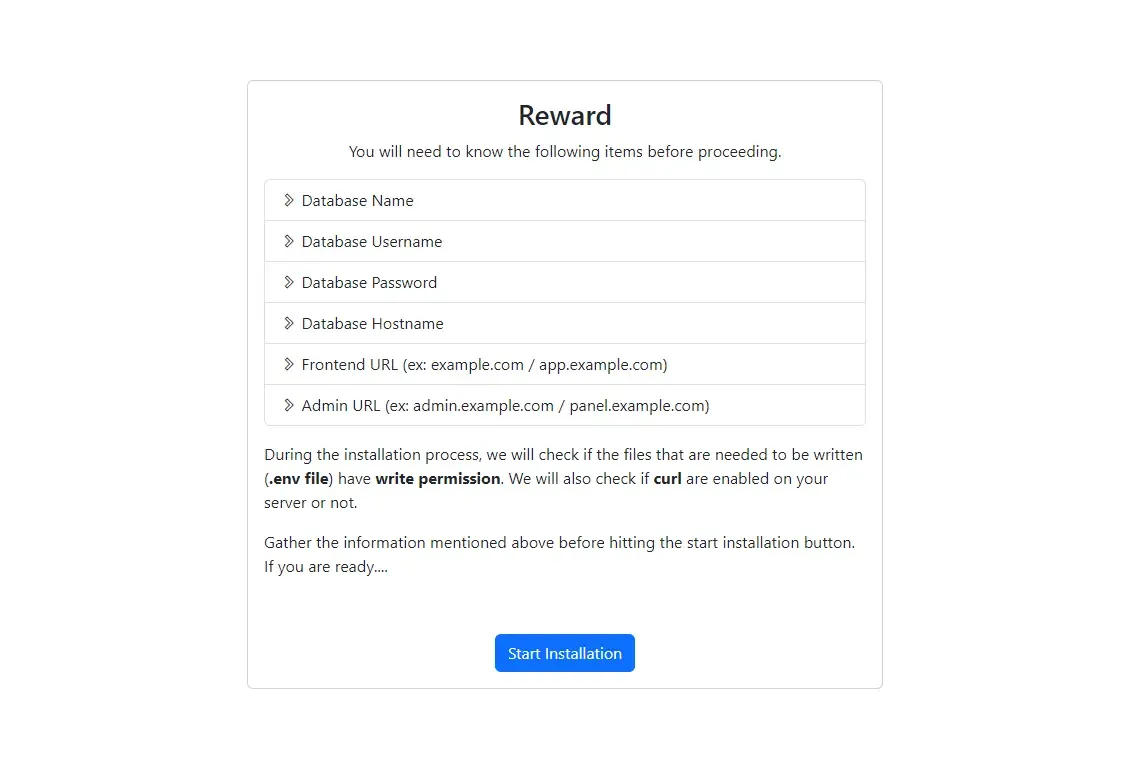
- You’ll need to know these things to proceed.
- If you have these, then click Start Installation.
Step-1
Section titled “Step-1”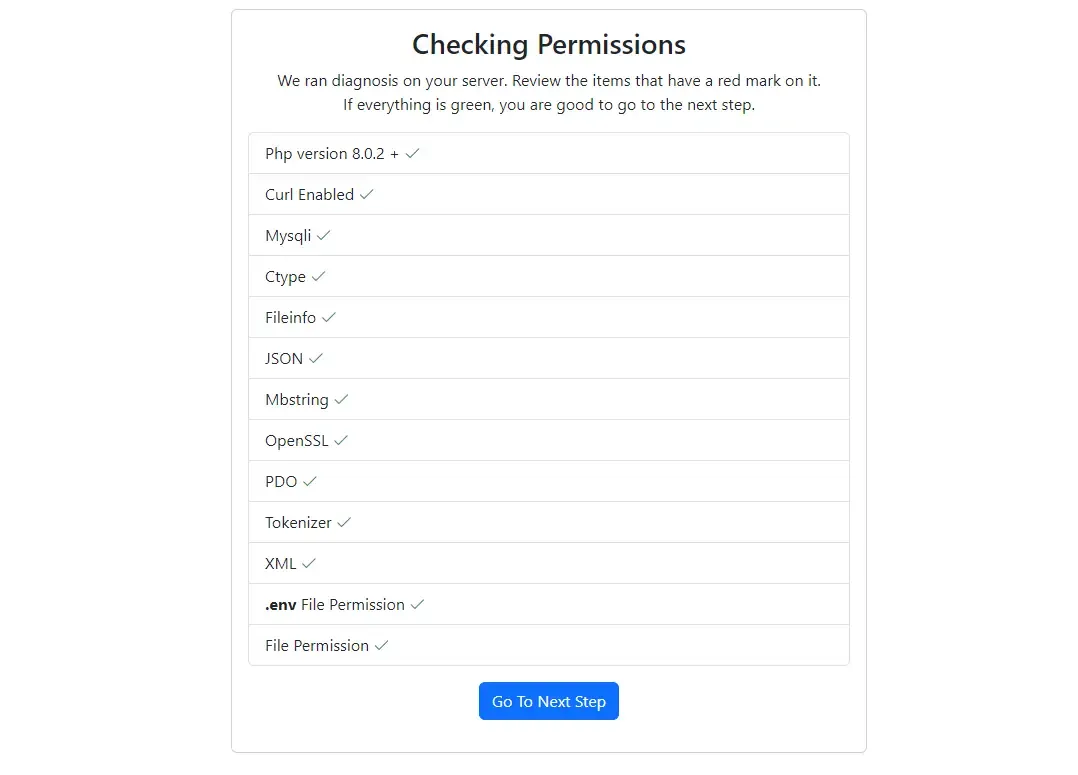
- It’ll check all the required extensions and file permissions.
- If Everything is okay, then you’ll be able to Go To the Next Step.
Step-2
Section titled “Step-2”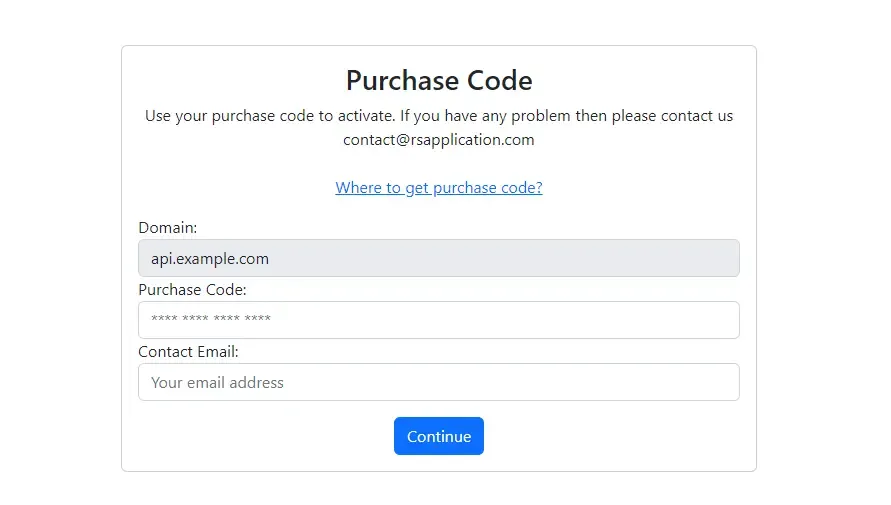
- Domain : This domain will be registered with your purchase code. Once activated you won’t be able to use this purchase code from another domain. Contact us if you need to change your domain.
- Purchase Code : Your purchase code of Rewardy. [Where to get purchase code?]
- Contact Email : This email will be registered with your purchase code. We’ll identify and contact you via this email if there’s any issue.
Step-3
Section titled “Step-3”Only MySQL Database supported.
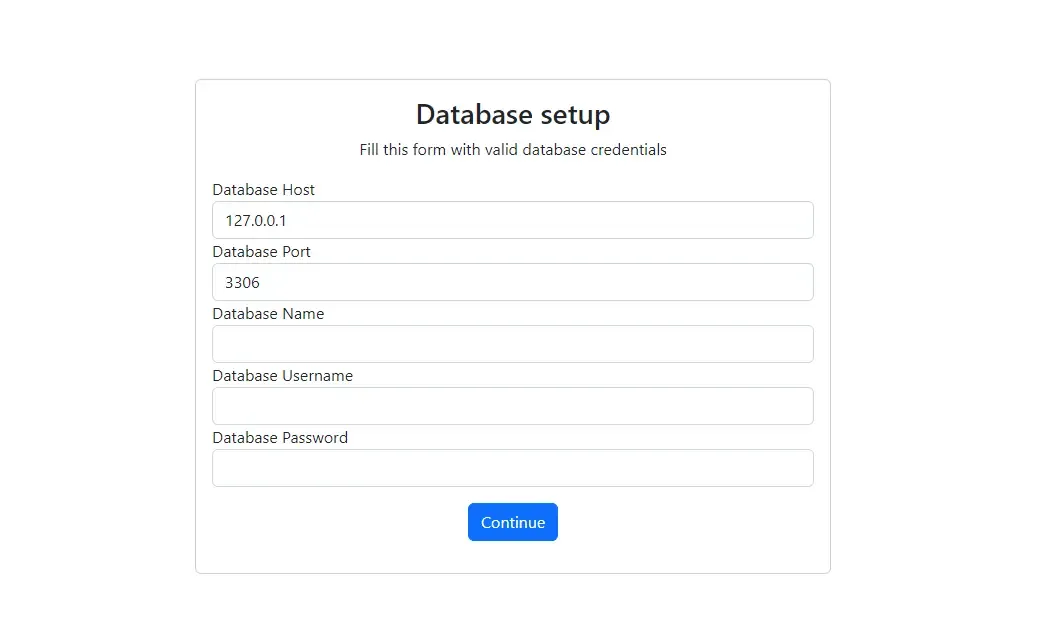
- Database Host : Your database host (ex: 127.0.0.1).
- Database Port : Your database port (ex: 3306).
- Database Name : Your database name (ex: rewardy).
- Database Username : Your database user (ex: user).
- Database Password : Your database password (ex: 123456).
Step-4
Section titled “Step-4”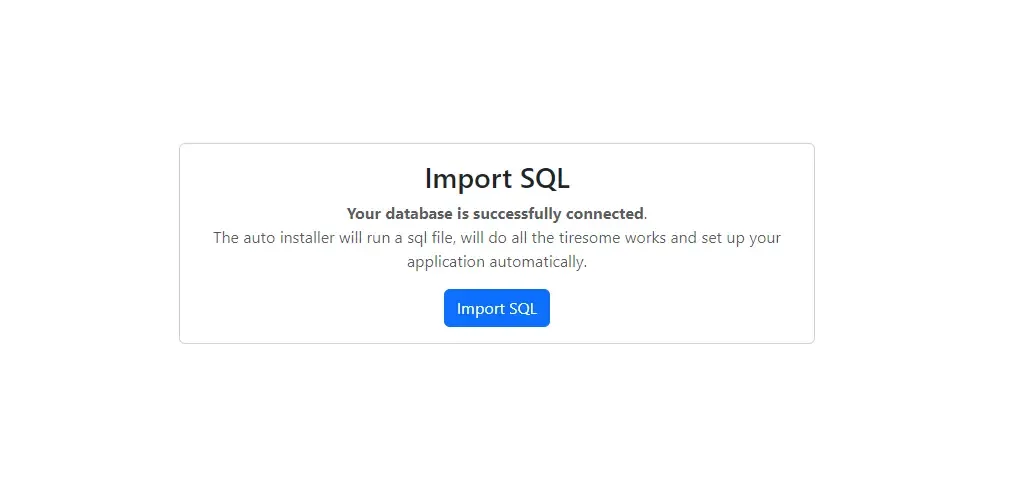
- It’ll create all database tables and import data.
Step-5
Section titled “Step-5”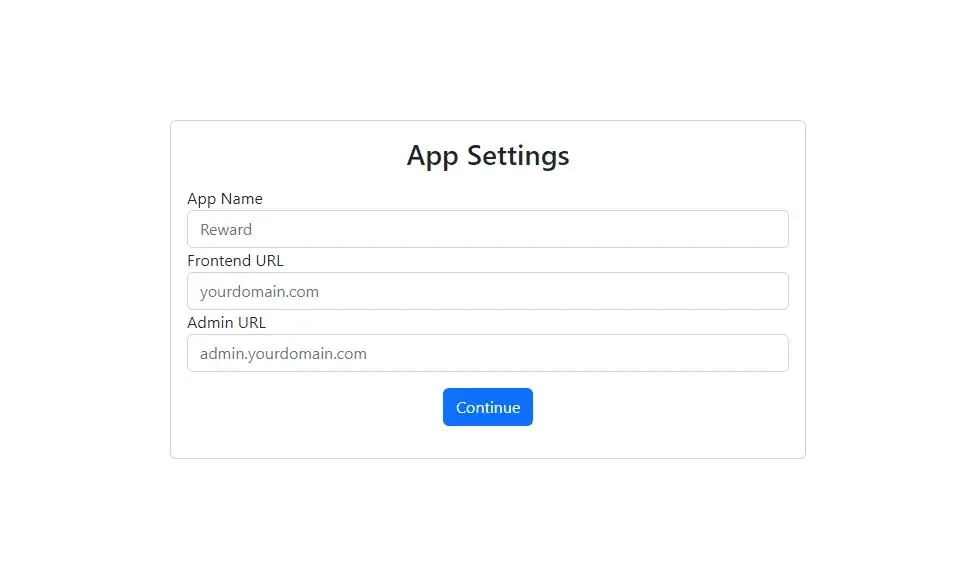
- App Name : This name will be used in email template (ex: Rewardy).
- Frontend URL : Your frontend url (ex:
https://example.com). - Admin URL : Your admin url (ex:
https://admin.example.com).
Finish
Section titled “Finish”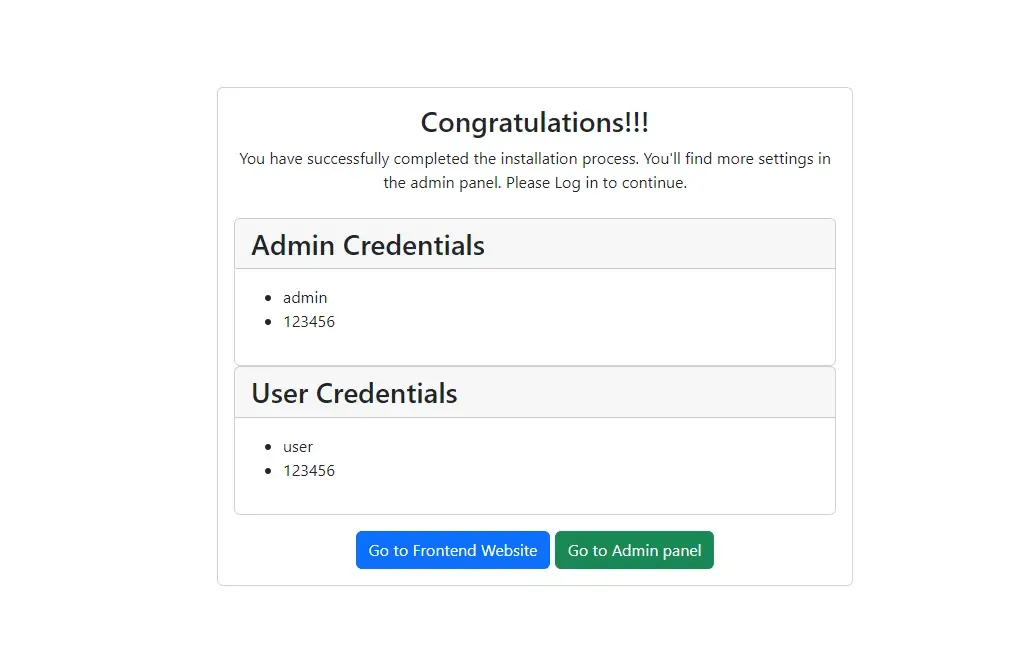
- Backend API setup is completed. Use these credentials to access accounts.
- Make sure your frontend and admin panel is ready before visiting them.
- Frontend Website : It’ll redirect you to your frontend.
- Admin Website : It’ll redirect you to your admin panel.
Something isn’t working? Contact us rsapplication.contact@gmail.com